October 1, 2026: Smart Documents & Letterheads
New Features
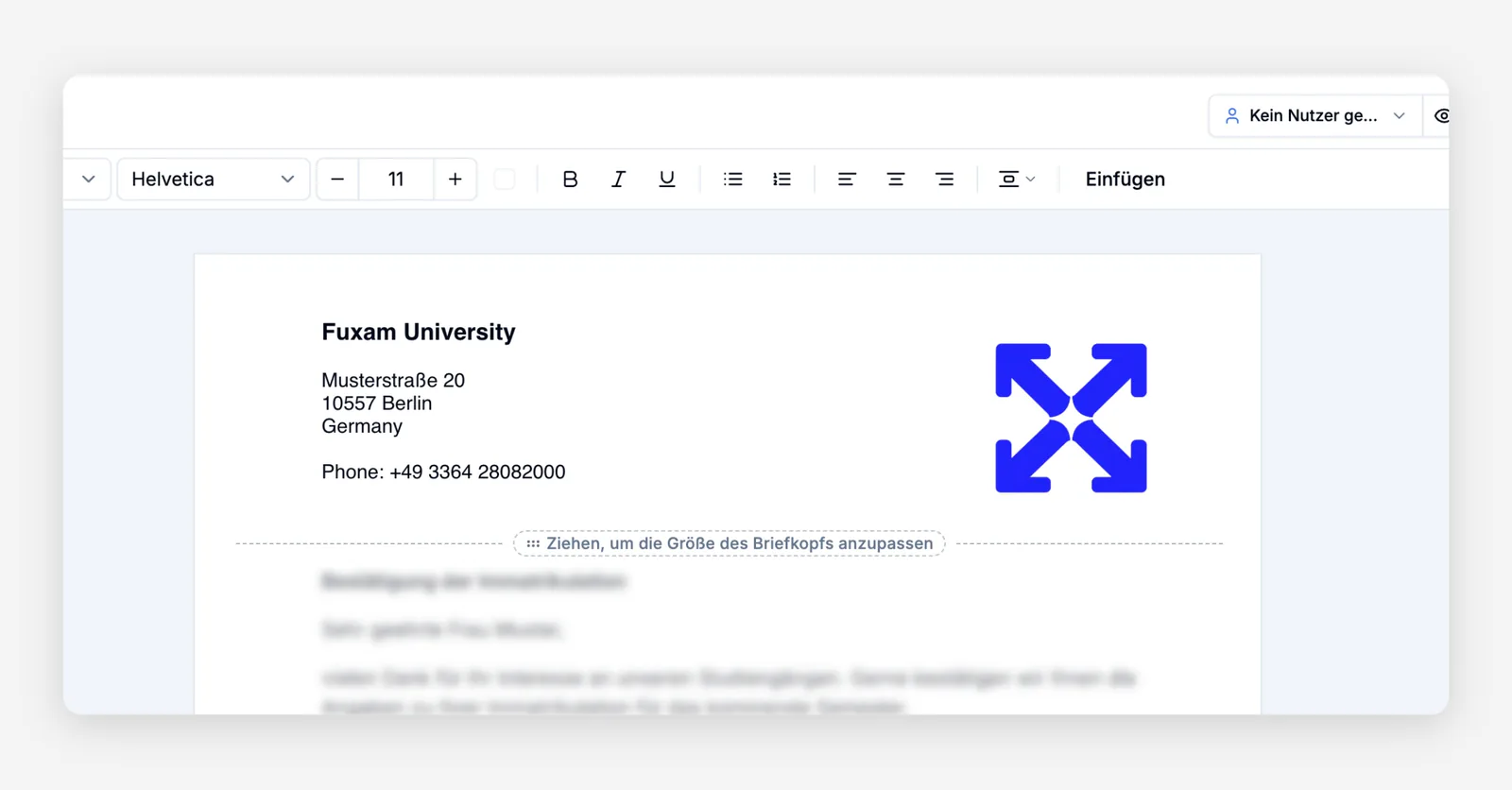
Smart Documents & Letterheads ⭐
Organizations can now design reusable document templates with their own letterheads, version them over time, and use them for contracts, certificates, and official correspondence.
Key capabilities:
- Custom letterheads: Upload letterheads with your branding and apply them to documents and contracts.
- Document versioning: Templates are versioned, so documents stay consistent even when the design changes.
- Digital study contracts: Applicants and students can open, fill in, and digitally sign study contracts as Smart Documents.
- PDF export: Improved PDF rendering produces print-ready documents.
- Self-service templates: Users can pick approved document templates themselves.
How to use: You'll find templates and letterheads under Campus management → My Organization → Documents; letterheads for contracts are under Settings → Contracts.
Shared Exams Across Cohorts
Institutions can decide whether exams run separately per cohort or jointly across cohorts, with an institution-wide default and an optional override per module.
How to use: Set the default under Settings → Exams and Grading (exam planning) and override it per module on the module planning page.
Redesigned Module Planning
The planning cockpit now supports course offerings even without student demand, custom columns, archiving and restoring entries, an overview of teaching hours, and matching enrollments against targets, all exportable.
How to use: Open Campus management → My Organization → Planning. Add custom columns, archive entries, and export the filtered plan from the toolbar.
Learning Time Tracking & Analytics
Course instructors can see how much time each participant actually spends learning, spot who is falling behind, use a filterable event log, and export day-by-day details as CSV or Excel, including in bulk from user management.
How to use: Enable tracking in the institution settings, then open a participant in the course or via User Management → Course Progress.
Connected Institutions
Institutions can form direct partnerships using connection codes, confirm requests, and selectively share rooms and staff availability; everything else stays private.
How to use: Go to Settings → Connected Institutions, create a partnership, and send the connection code to the partner institution.
New Module Retake
Students who failed a module can retake it by joining an existing offering of another cohort in the same study program, optionally with automatic enrollment in the linked courses.
How to use: Configure retake options on the course modules settings page; students choose the module again from their study plan.
Review Changes in My Exams
My Exams now holds changes to grades, dates, and requests until you save, with a clear before-and-after overview per student and exam.
How to use: Make changes under Campus management → Exam Center → My Exams, review the summary, then save or publish.
AI-Powered Table Filters
Describe what you're looking for in plain language, and the filter panel turns it into real table filters you can keep refining.
How to use: Open the filter panel of any table and click the button with the sparkle icon.
Finer Document Permissions
Access to documents can now be controlled much more precisely with dedicated permissions.
How to use: Adjust document permissions under Settings → Roles and Permissions.
Multiple Pinned Announcements
When several announcements are pinned, you can now browse through all of them on the home page instead of only seeing the latest one.
How to use: Pin announcements in the Info Hub; arrows and dots appear on the home page automatically.
Improvements
Unified History Panel
History is now easier to find: a single History button on courses, exams, users, companies, and more opens it in a clear side panel.
Archived & Completed Courses
Course participant lists and waitlists can now be archived automatically at selectable points around the end of the semester, with a dedicated view for archived courses.
Faster, Smoother Settings
Settings pages load faster with placeholders that match the real page, plus tidier spacing and navigation.
Simpler Course Management
You can rename courses directly from the table view, and course navigation has been streamlined.
Better Attendance Editing
Attendance times can be adjusted afterwards, a timestamp column shows arrival times, a new date picker makes entry easier, and room capacity hints are clearer.
Better Onboarding & Help
The configuration assistant now includes guided onboarding steps and an updated video handbook with an FAQ section.
Tidier Course Catalog
Learning paths have clearer labels and description areas, module tables sort alphabetically, and cohort and study program stay selected during enrollment.
Faster, More Stable Platform
Numerous performance improvements make pages load faster and the app run more smoothly overall.